The control room for your app's email
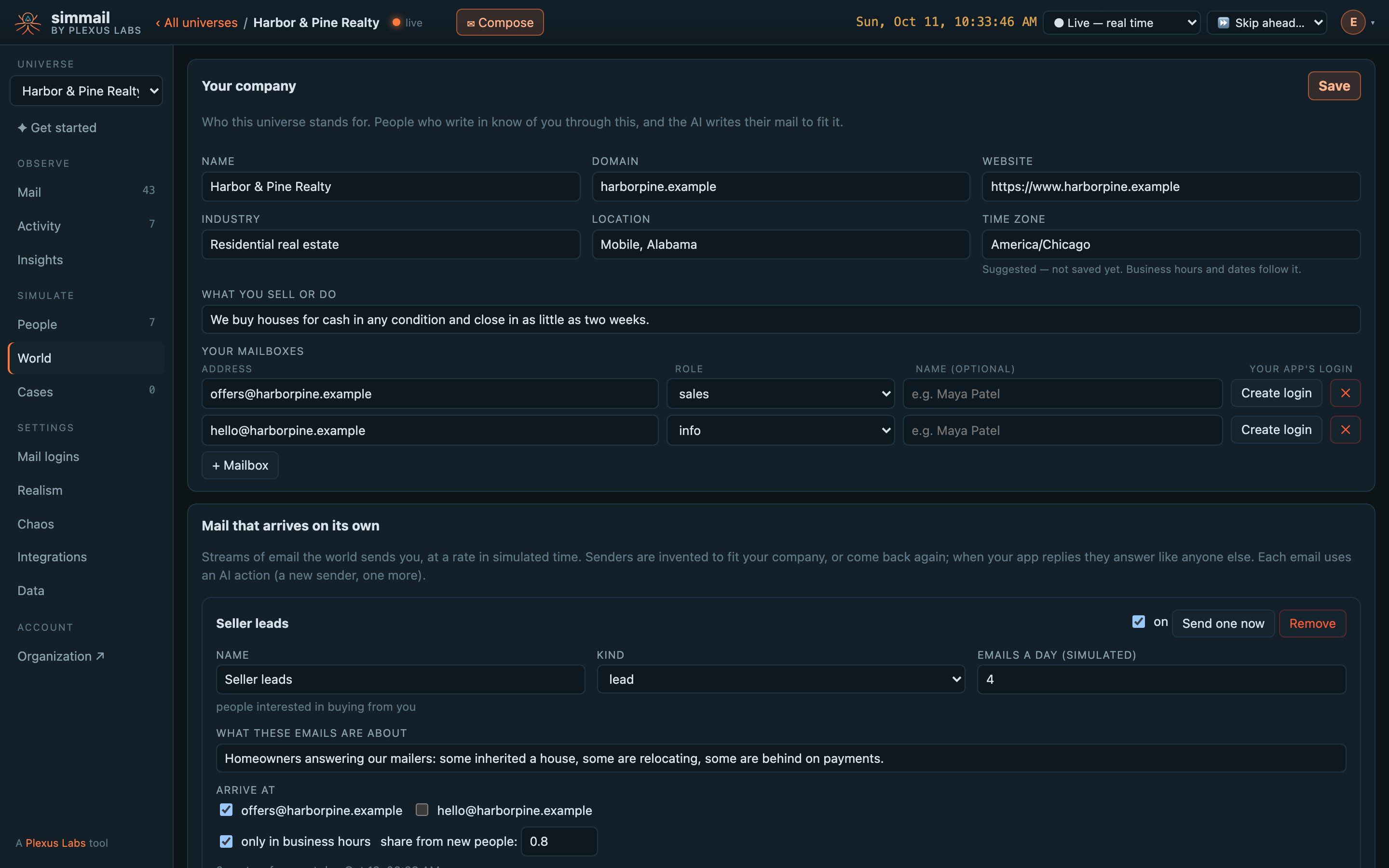
The API is for your code. The dashboard is for you: watch mail arrive, read the replies, see why each person did what they did, and change the world they live in.
Every inbox, both sides
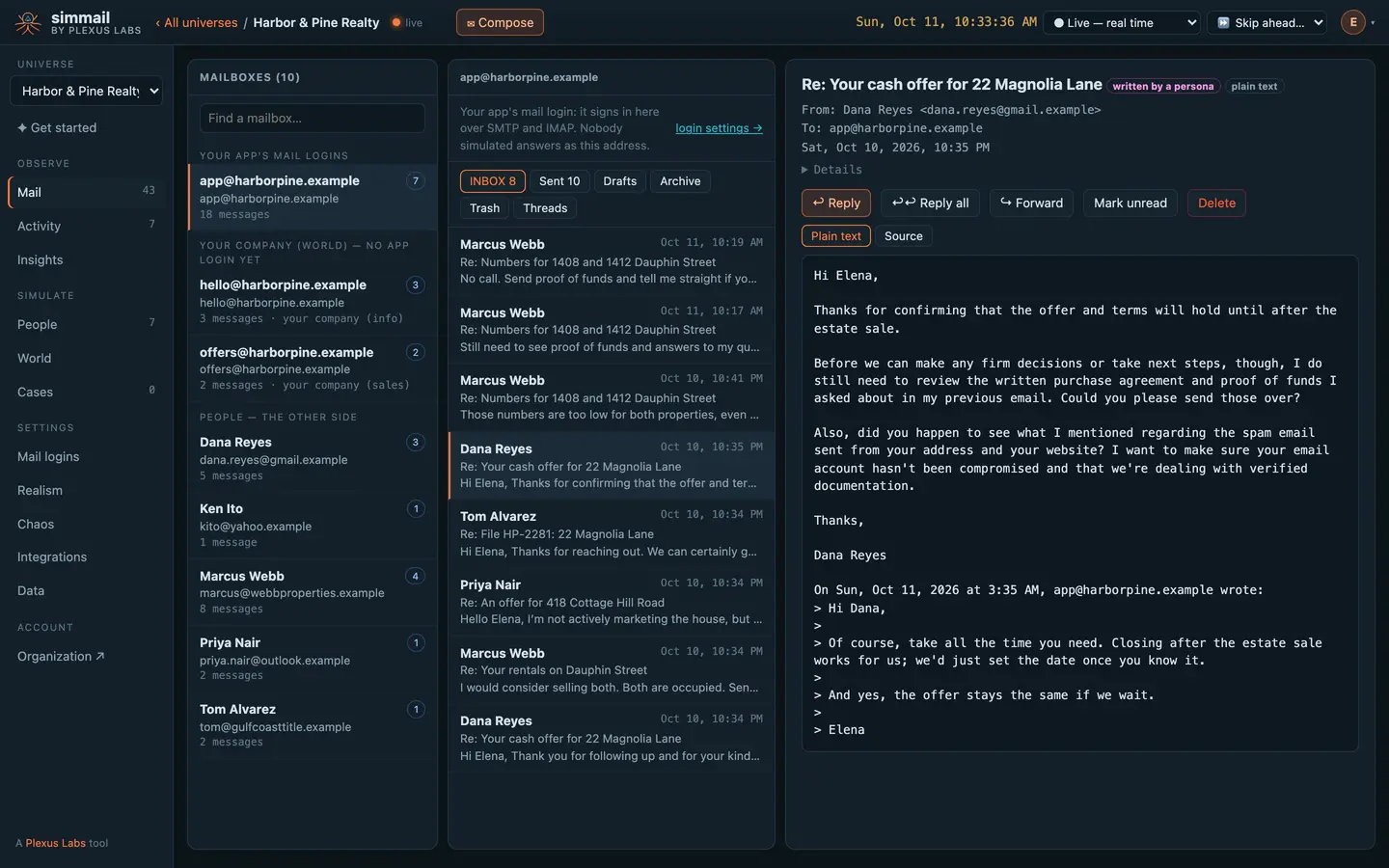
Your app's logins, your company's mailboxes and every simulated person's mailbox, side by side. Read replies as they land, see which were written by a person and which by your app, and answer as your app.
Every decision, explained
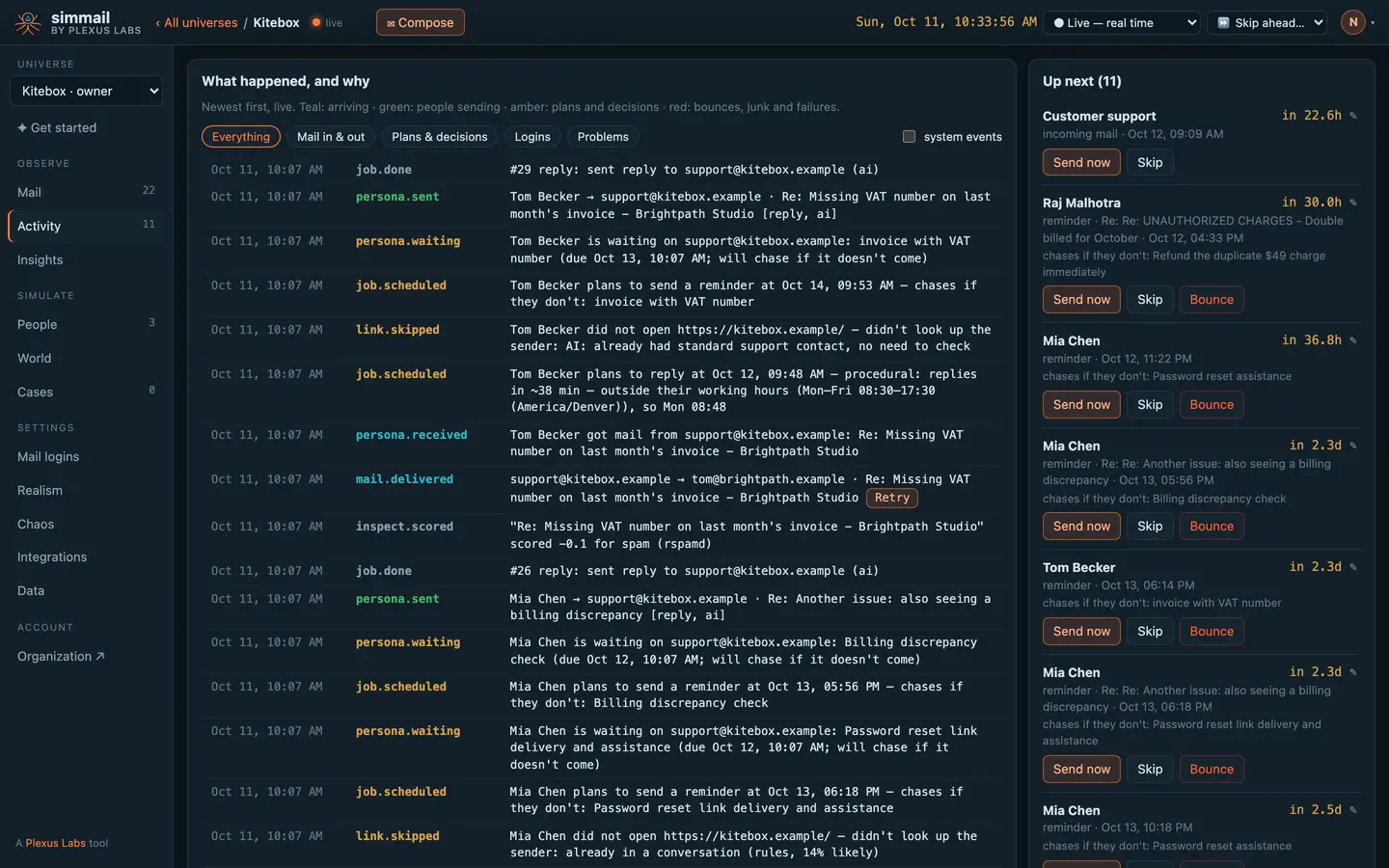
The timeline says what happened and why, in plain language: who got your email, when they plan to answer and why then, who looked your company up, who decided not to answer.
- Up next — every planned reply and reminder, with its time
- Send now, skip, bounce or reschedule — any job, with one click
- Retry and rescue — run an email again after you change a setting
See what they think of you
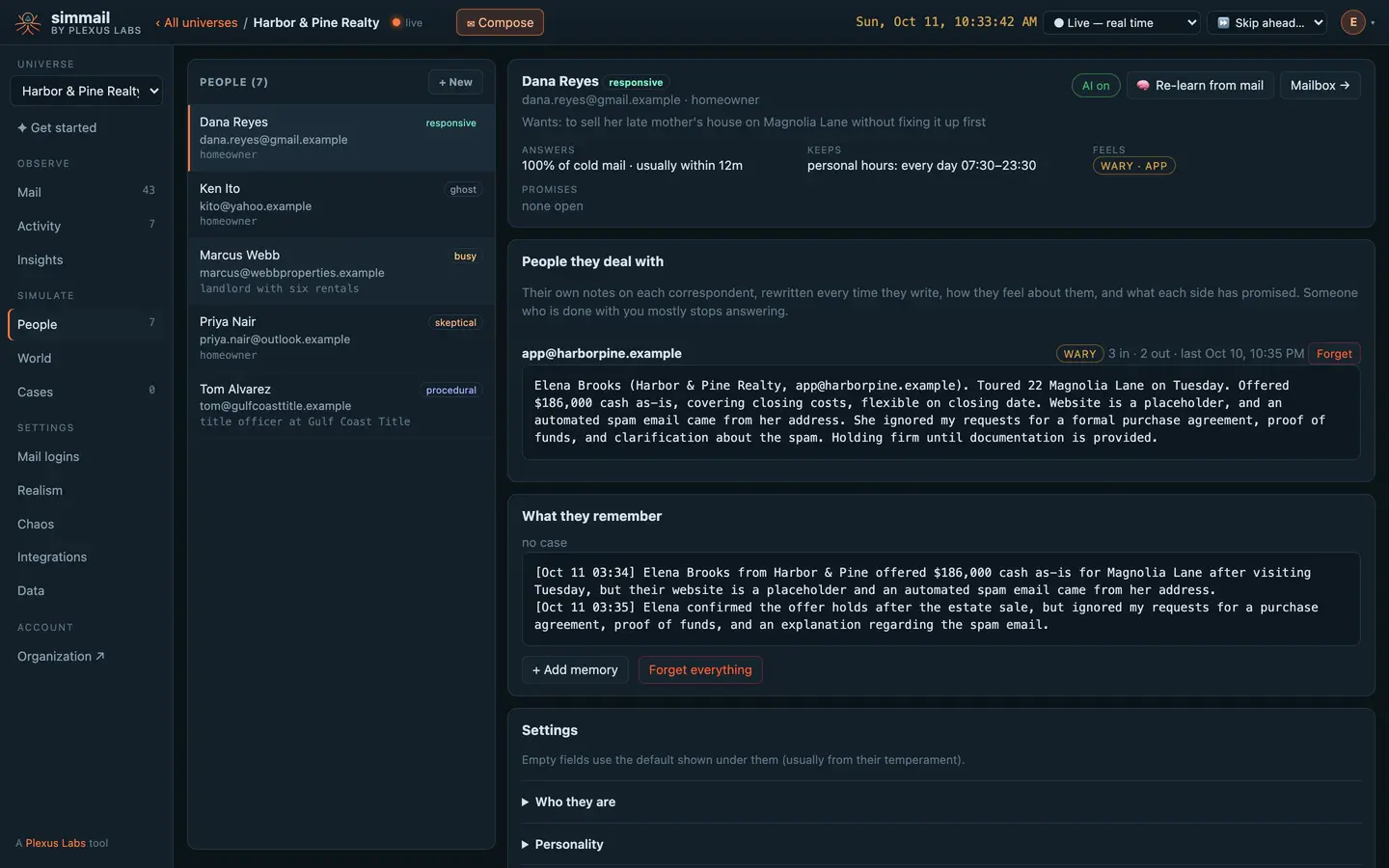
Open anyone and see who they are, their temperament and hours, what they remember, what they promised, and their own notes on you, rewritten every time they write. When your app annoys someone, you'll see it here first.
What your email actually achieved
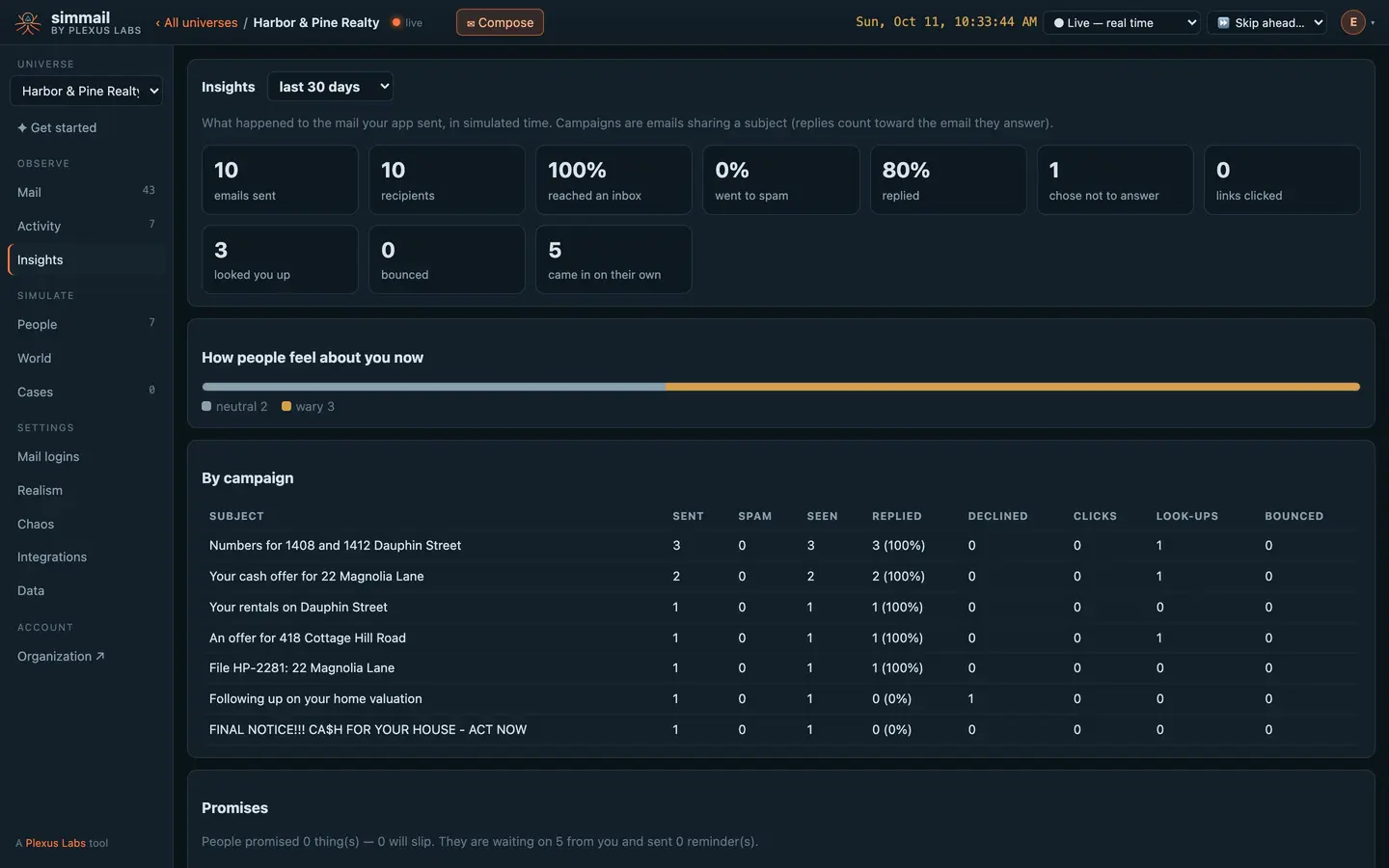
Inbox rate, replies, people who chose not to answer, look-ups, clicks and bounces, by campaign. How people feel about you now, and the promises still open on both sides.
Questions
Do I need the dashboard, or the API?
Either, or both. Your code uses SMTP, IMAP, the API or MCP; the dashboard shows the same universe to people. Everything your tests do appears there live, and anything you change there your tests see at once.
Who can use it?
Everyone in your organization, with their role: viewers look, members run the simulation, admins change logins, rules and settings. You sign in once, at your account, and every universe you belong to opens without another sign-in.
Is it live?
Yes. Mail, activity and the queue update as things happen, without reloading. The clock in the top bar shows simulated time; run it live, speed it up, freeze it, or skip ahead to the next reply.
Does it work on a phone?
Yes. The panes stack on small screens, and it has a light and a dark theme that follows your system unless you pick one.
Can I answer as my app from the dashboard?
Yes. Compose, reply and forward from any of your app's logins, exactly as your app would over SMTP. The people on the other side can't tell the difference.
Put real behaviour between your app and its inbox
Start free with 25 AI actions a month, no card needed. Upgrade when you need more.