Know your sign-up email works before a customer tries it
Parcelpoint sends a verification email to every new user and a receipt with every order. In simmail, people open the verify links, a dead address bounces, and every email gets a health report.
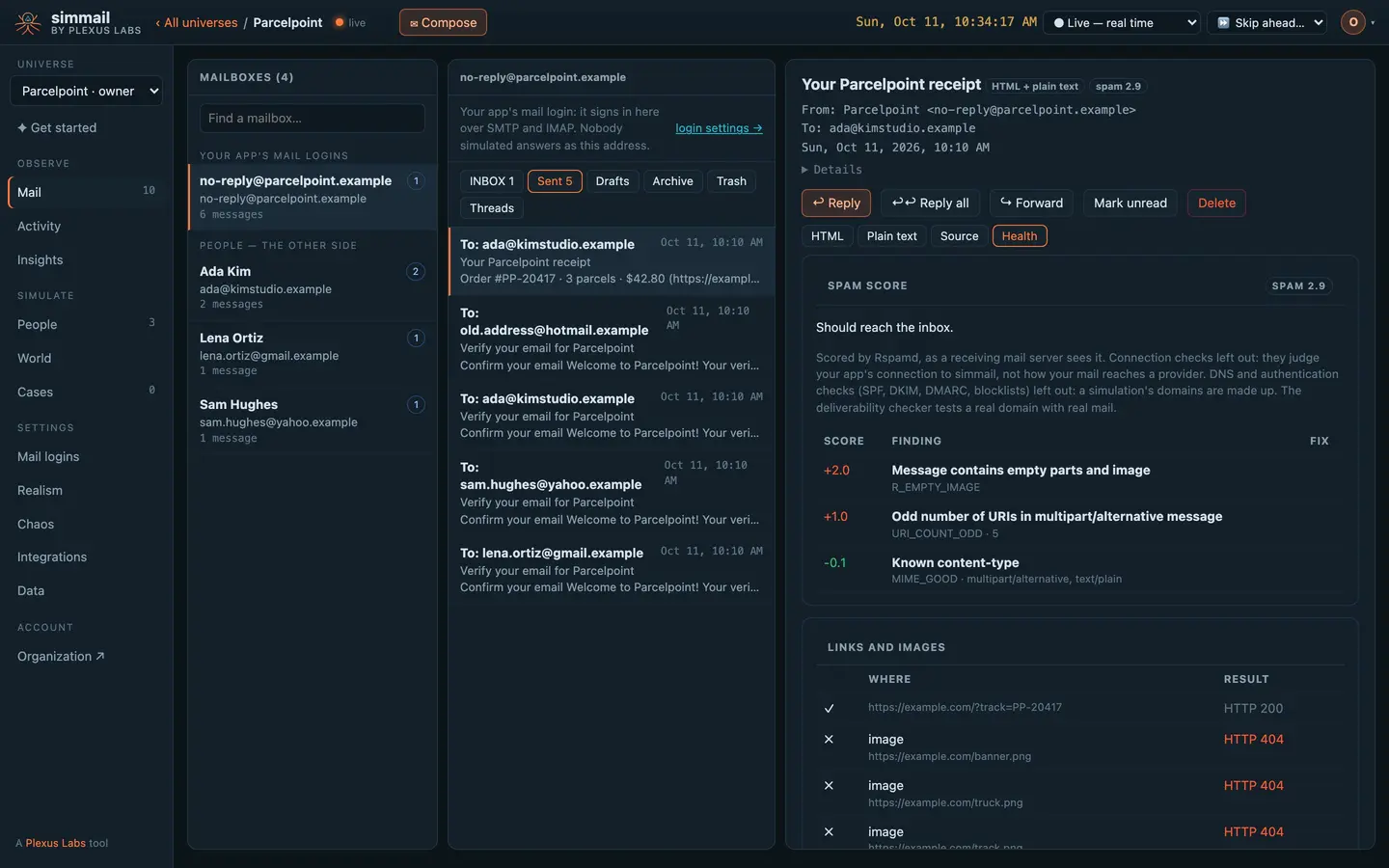
Nobody replies. They click.
People treat a verification email the way real people do: it comes from a no-reply address and carries a code, so nobody answers it. Ada, Lena and Sam open their verify links instead, and your app sees real requests to them.
An old Hotmail address bounces back to no-reply@, so your bounce handling has something to handle. In your tests, wait for each email and take the code or the link straight from it.
The wait API · SDKs · Links
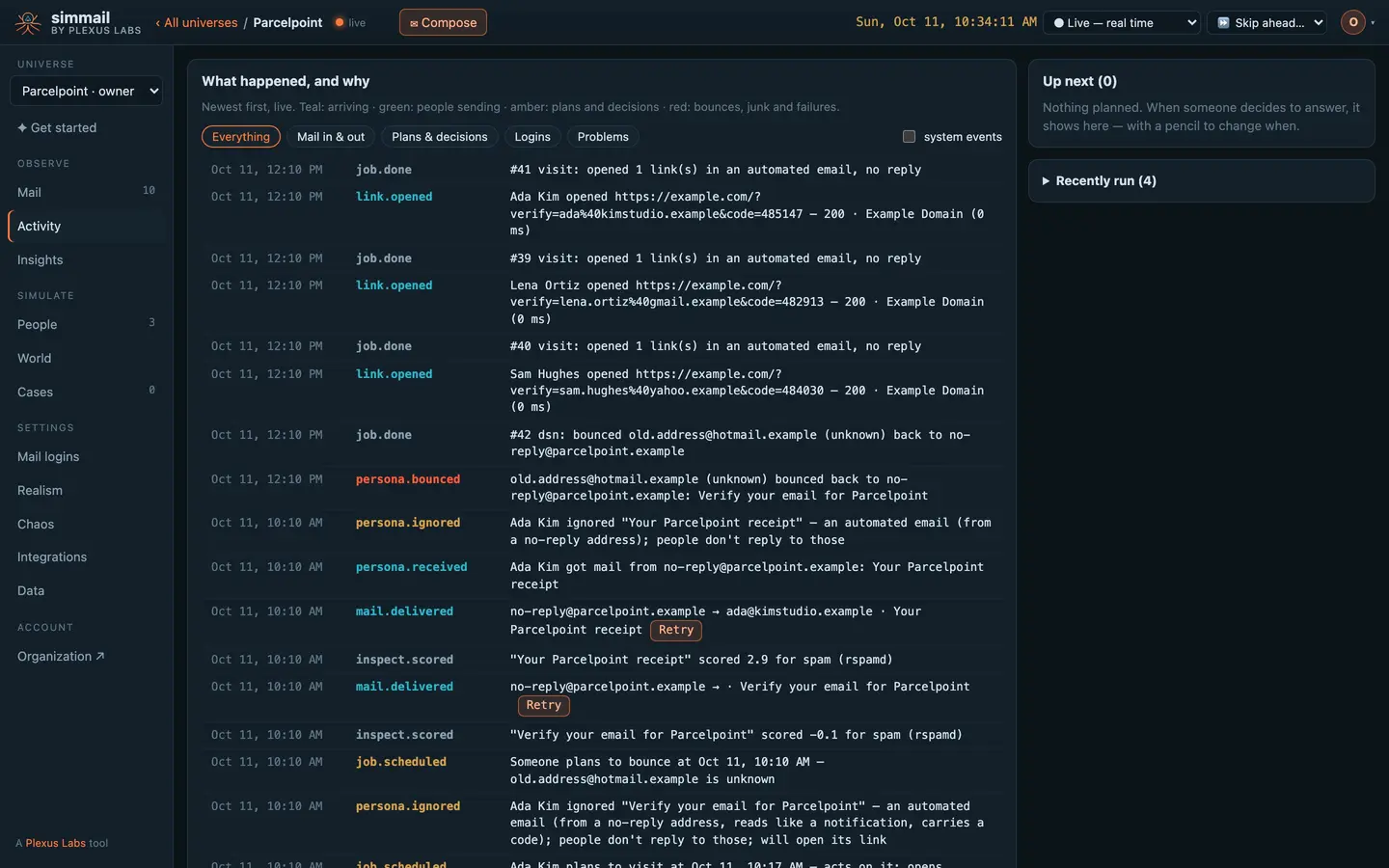
Broken images, caught on the first run
Every email your app sends gets a spam score with the rules that moved it, a check of every link and image, a client-compatibility report and an accessibility report. Parcelpoint's receipt links to three images that don't exist.
Mail that scores over a person's spam filter lands in their Junk folder. If a test times out waiting for an email, look there.
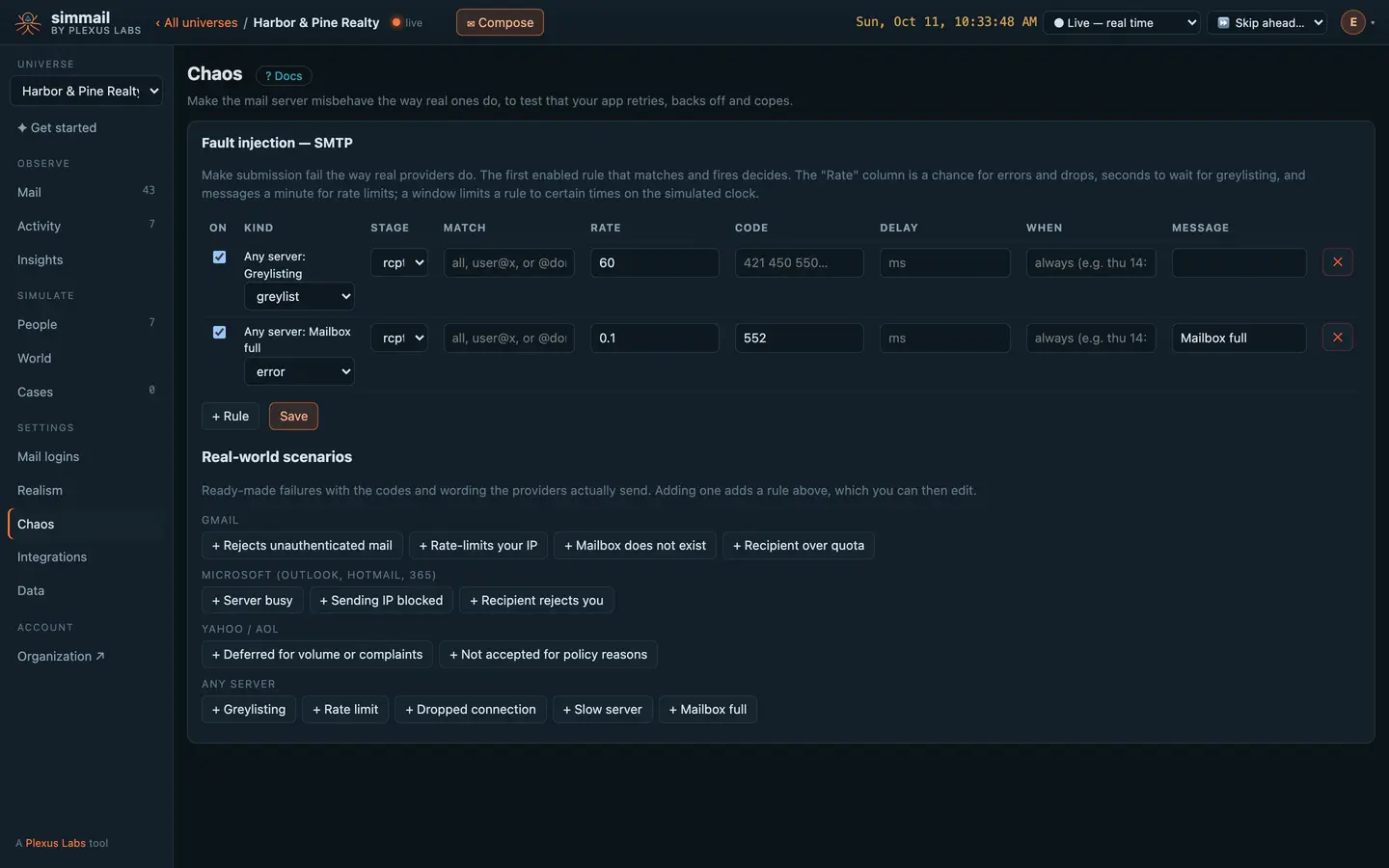
Does your queue retry, or drop the email?
Turn on greylisting, rate limits, full mailboxes, dropped connections or a provider's policy block, with the codes real providers send. Then watch whether your password reset still arrives.
Your SMTP settings, pointed at simmail
Any SMTP client works. Your tests start a wait, click the button that sends, and get the email back with its codes and links already extracted. No sleeps, no shared inbox to clean up.
</> For developers: SMTP settings and a sign-up test
# Sending
SMTP_HOST=c1.simmail.dev
SMTP_PORT=2525
SMTP_SECURE=false        # STARTTLS on 2525; use 4650 with SMTP_SECURE=true for TLS
SMTP_USER=app@yourcompany.test
SMTP_PASS=a-long-password

# For your tests (the SDKs read these)
SIMMAIL_URL=https://c1.simmail.dev
SIMMAIL_API_KEY=smk_your_key
import nodemailer from "nodemailer";
const transport = nodemailer.createTransport({
host: process.env.SMTP_HOST, // c1.simmail.dev
port: Number(process.env.SMTP_PORT), // 2525
secure: false, // true for port 4650
requireTLS: true, // upgrade with STARTTLS
auth: { user: process.env.SMTP_USER, pass: process.env.SMTP_PASS },
});const mail = new Simmail(); // reads SIMMAIL_URL and SIMMAIL_API_KEY
test("new users can verify their email", async ({ page }) => {
const email = `user-${Date.now()}@yourcompany.test`;
await page.goto("/signup");
await page.fill("#email", email);
const waiting = mail.waitForEmail({ to: email, subject: "verify", timeout: 20000 });
await page.click("text=Create account");
const msg = await waiting;
expect(msg.codes).toHaveLength(1);
await page.fill("#code", msg.codes[0]); // or: await page.goto(msg.magic_links[0])
});def test_password_reset(client):
email = f"user-{int(time.time())}@yourcompany.test"
client.post("/signup", data={"email": email, "password": "pw-123456789"})
client.post("/forgot-password", data={"email": email})
msg = mail.wait_for_email(email, subject="reset", existing=True, timeout=20)
assert msg["magic_links"], msg["text"]curl -s -G https://c1.simmail.dev/api/wait \
-H "Authorization: Bearer smk_your_key" \
--data-urlencode "to=dana.reyes@gmail.com" \
--data-urlencode "folder=Junk" \
--data-urlencode "existing=true"curl -s -X POST https://c1.simmail.dev/api/faults/scenarios/gmail-rate \
-H "Authorization: Bearer smk_your_admin_key" \
-H "Content-Type: application/json" \
-d '{"match": "@gmail.com"}'Questions
Do I have to change my app to use simmail?
No. Point its SMTP settings at your universe’s host, port and login, the same way you would point them at a real provider. Any SMTP client works.
Can a test email reach a real customer?
No. simmail has no relay and no outbound SMTP client. Mail to any address, at any domain, stays inside simmail.
How are one-time codes found?
4 to 8 digits, or 6 to 8 letters and digits with at least one digit, shortly after a word such as code, OTP, PIN or verification. A line holding only 4 to 8 digits also counts. See how codes and links are found.
Will my sign-up tests create thousands of simulated people?
Not if you turn strangers off for your test domain. Mail still lands in a mailbox, so waits work, but nobody answers. See the CI guide.
Can I see what my receipts look like in Outlook?
The health report checks your HTML and CSS against caniemail.com’s data for real email clients and lists what fails or partly works where, with fixes. It does not render screenshots.
Put real behaviour between your app and its inbox
Start free with 25 AI actions a month, no card needed. Upgrade when you need more.