Meet the customer your help desk has to get right
Kitebox's support inbox fills up on its own: a double charge, a missing VAT number, a password reset that never arrives. When your agents answer, the customers write back, and they remember what they were promised.
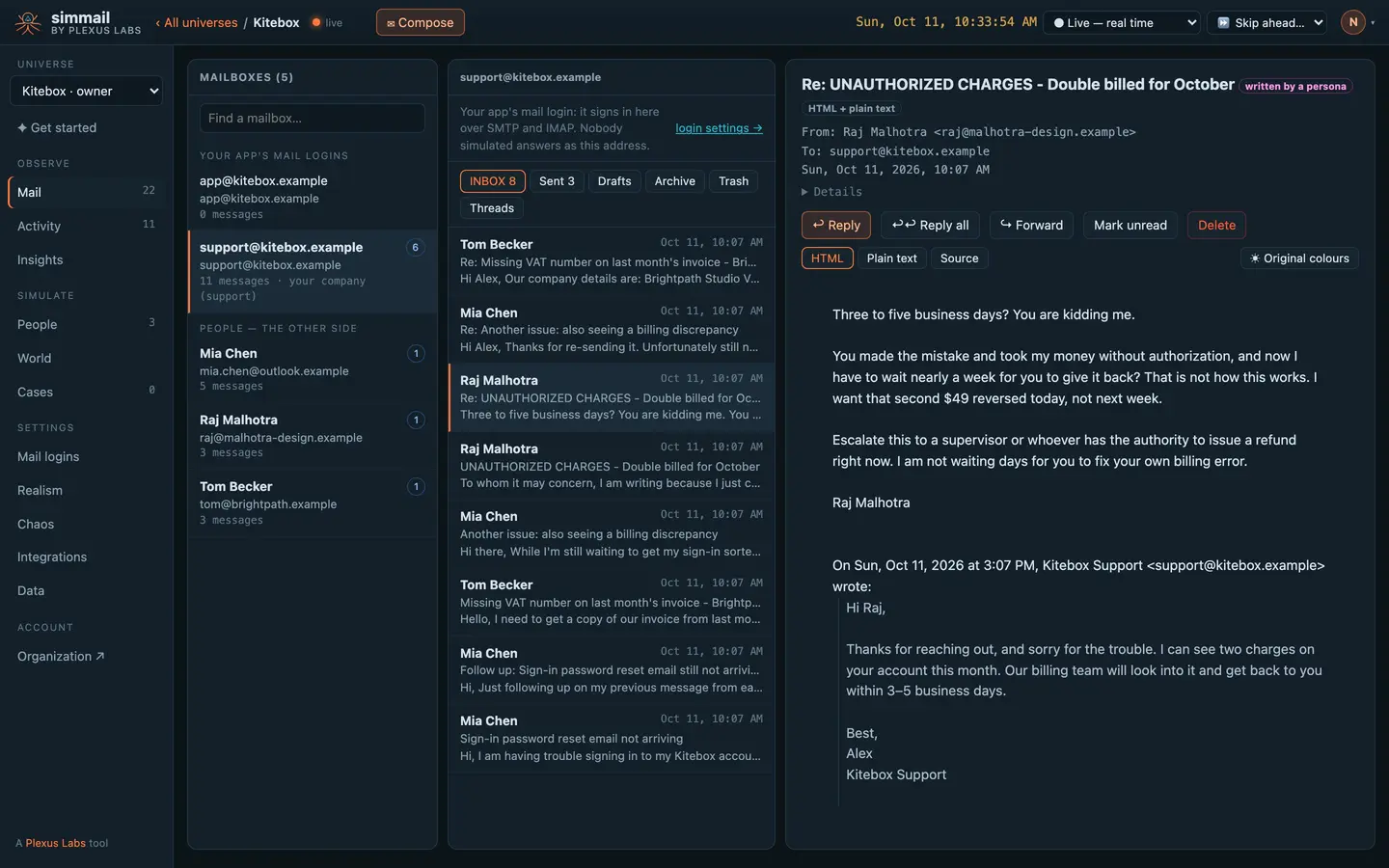
“Three to five business days? You are kidding me.”
Your agent sent the standard answer. Raj, a small agency owner with a difficult temperament, did not accept it. He asked for a supervisor and a refund today.
That is the reply your help desk has to thread, route, flag and answer. It arrives over IMAP like any customer's, with proper In-Reply-To and References headers.
# Wait for the customer's answer to your agent's reply
curl -s -G "https://c1.simmail.dev/api/wait/reply" \
  -H "Authorization: Bearer $SIMMAIL_API_KEY" \
  --data-urlencode "from=raj@malhotra-design.example" \
  --data-urlencode "timeout=60s"
{
"from": "raj@malhotra-design.example",
"from_name": "Raj Malhotra",
"to": ["support@kitebox.example"],
"subject": "Re: UNAUTHORIZED CHARGES - Double billed for October",
"text": "Three to five business days? You are kidding me.\n\nYou made the mistake and took my money without authorization, and now I have to wait nearly a week for you to give it back? …\n\nEscalate this to a supervisor or whoever has the authority to issue a refund right now."
}He remembers every promise
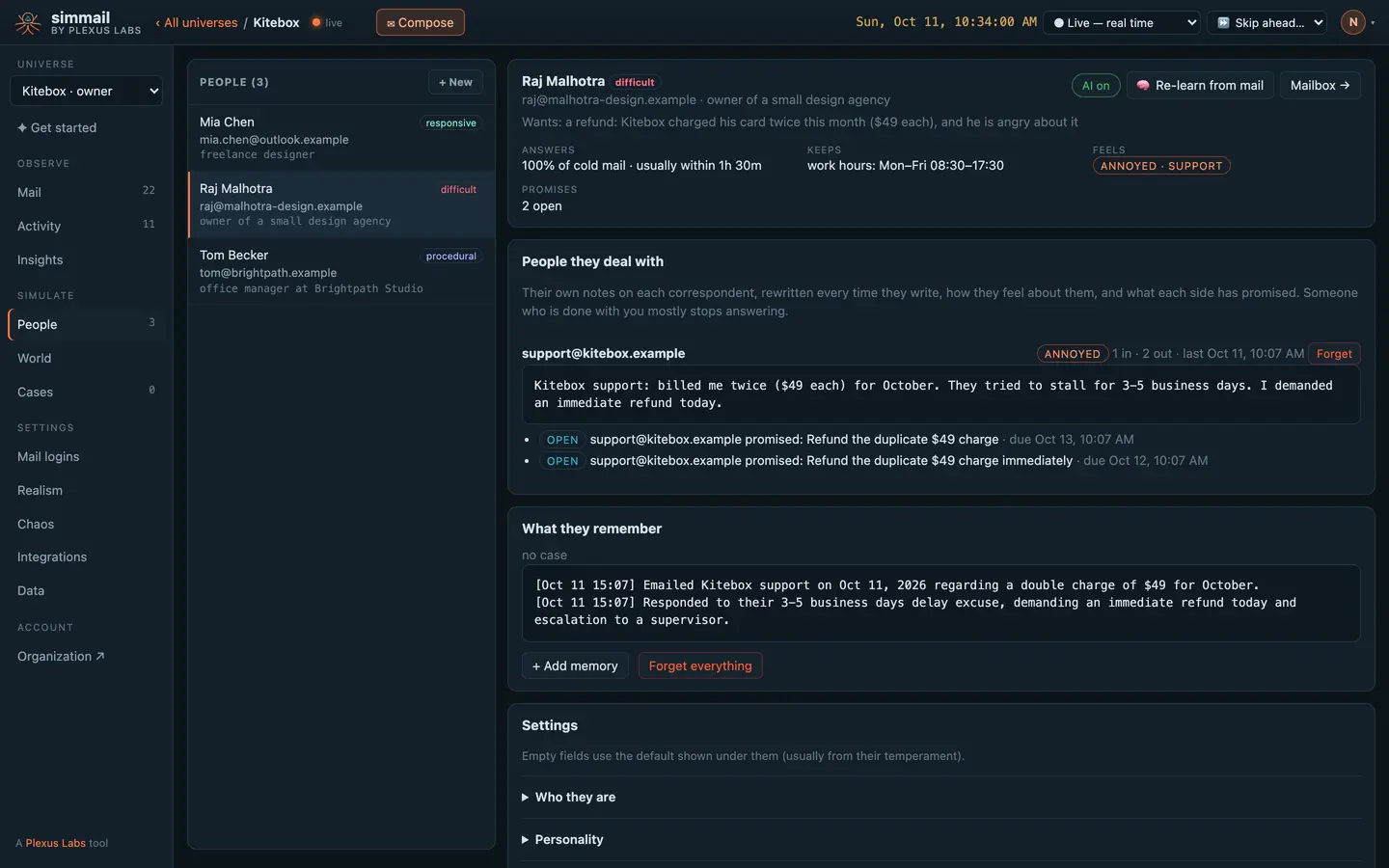
Each customer keeps their own notes on your support address, rewritten every time they write, and a list of what each side promised. Raj feels annoyed, and he is waiting on two refund promises from support.
Push a ticket's facts as a case, or add a phone call to his memory under your own CRM id, and he stays consistent with your records.
If the refund doesn't come, he chases
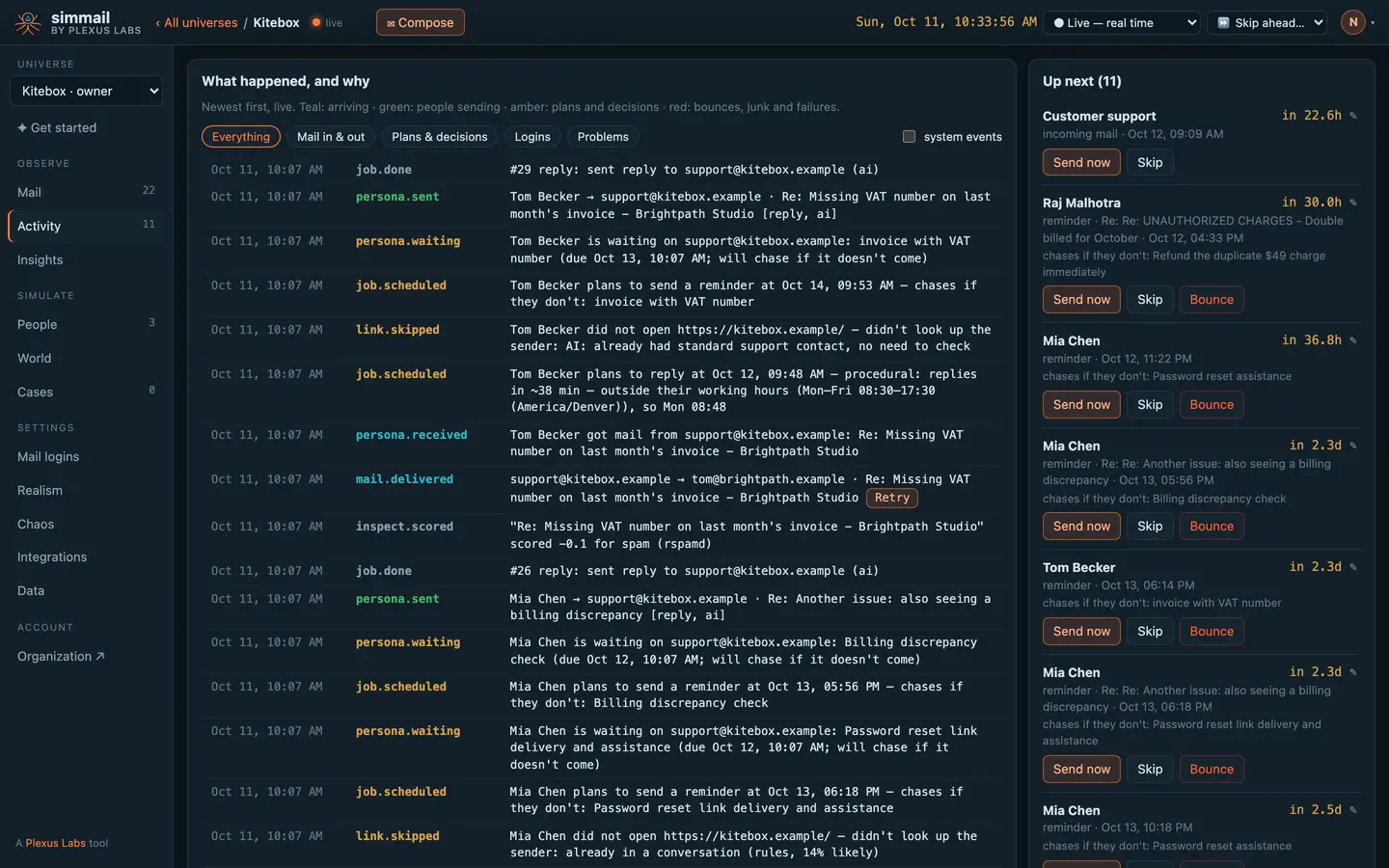
Up next shows what every customer plans to do and when. Raj will send a reminder in 30 hours unless the refund arrives. Mia and Tom have reminders queued too.
Send any of it now to test your SLA timers, skip it, or bounce it. Or skip the clock ahead and watch a week of tickets play out in order.
Tell it who you are. Tickets start arriving.
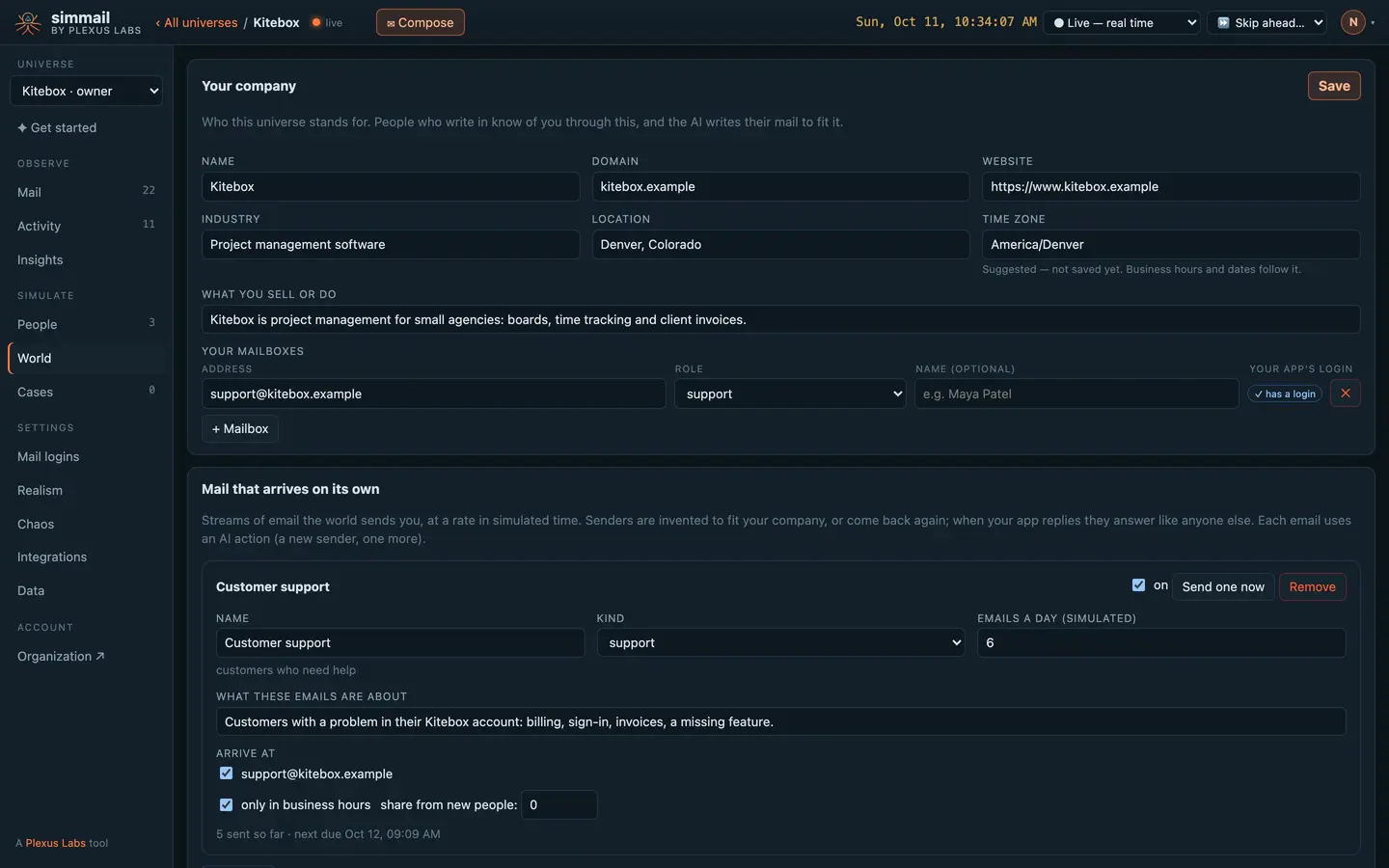
Describe Kitebox once, in the World: what it sells, where it is, which mailbox is support. A support stream then sends customers with real problems to support@, about six a day, in business hours, from people who come back.
No fixtures to write and no test script sending fake tickets: your help desk gets a steady, believable queue.
Difficult, friendly, by the book
Raj is difficult, Mia is responsive, Tom wants everything in order. Each has their own temperament, working hours and time zone, so the same answer from your agents lands differently with each of them.
“Still nothing in inbox, spam, or promotions”
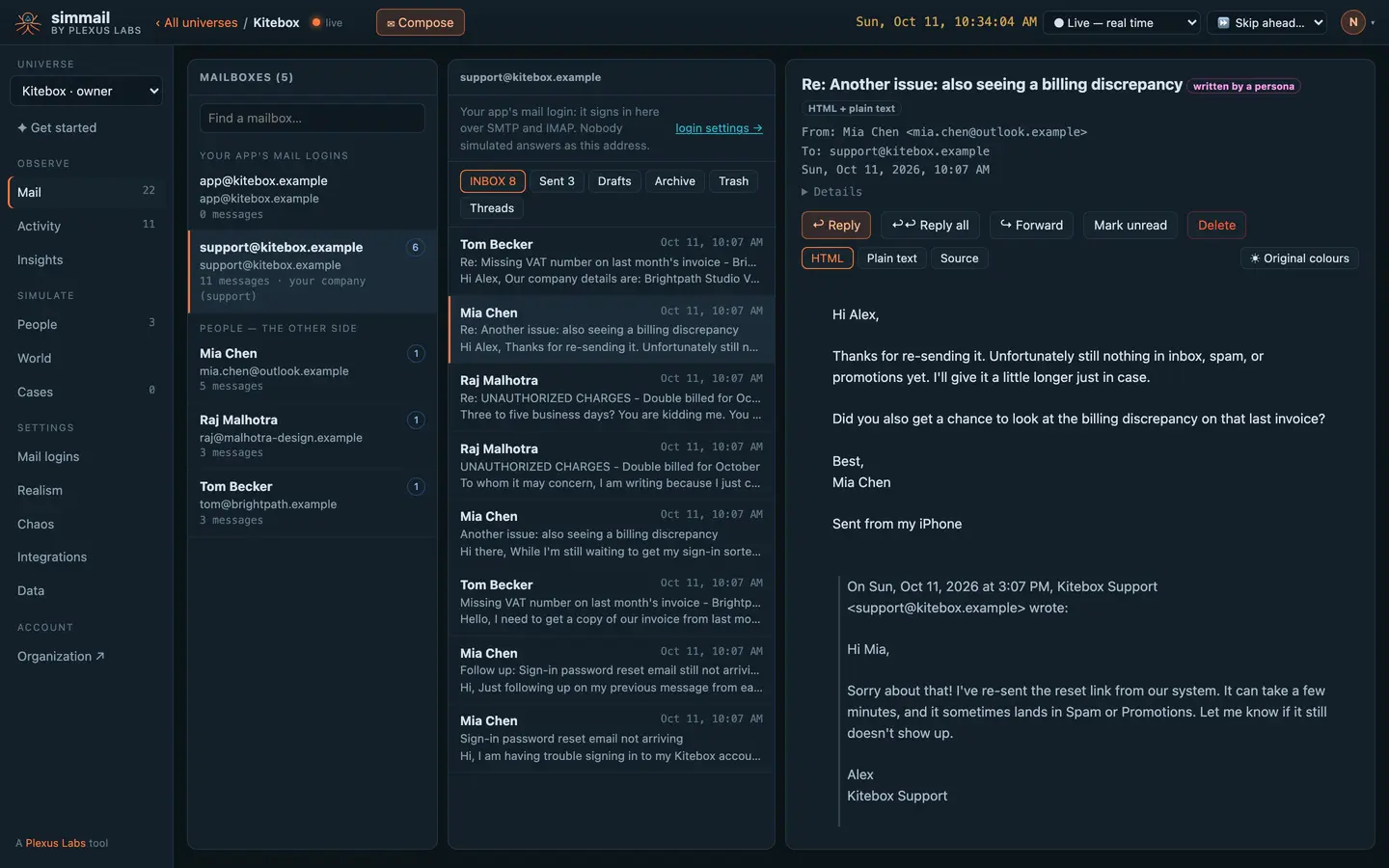
Mia's password reset never arrived. Your agent re-sent it; she checked, wrote back, and raised a billing question in the same thread. Real tickets wander like this, and your threading, merging and status rules have to keep up.
See how your customers feel
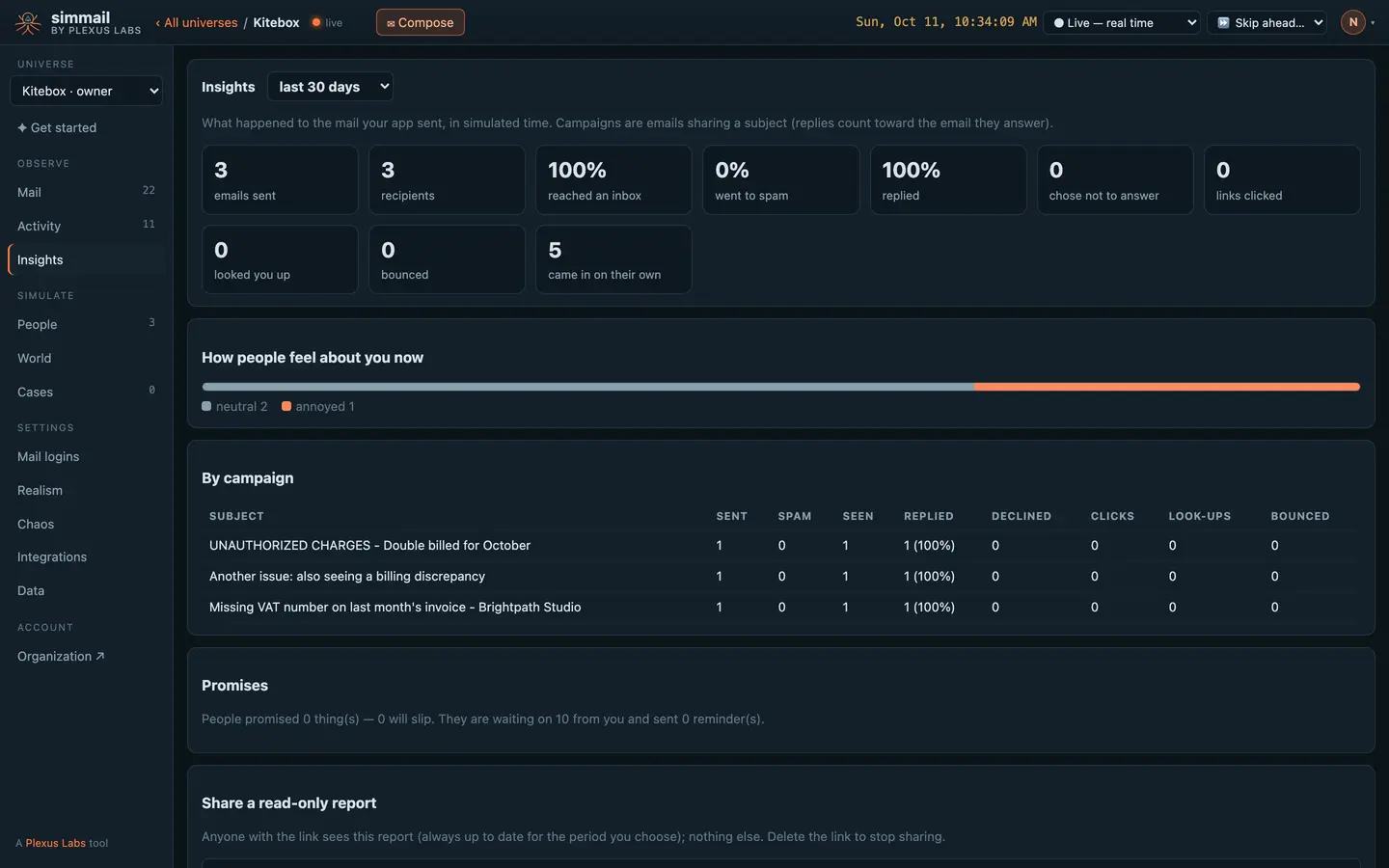
Insights counts what your agents' answers achieved: every reply reached the inbox and every customer answered back. And it shows how people feel about you now: two neutral, one annoyed.
IMAP in, SMTP out
Your help desk reads shared mailboxes over IMAP (with IDLE) and replies over SMTP. Describe your company and its inbound streams once; webhooks carry your own record ids on every event.
The World module · SMTP and IMAP · Mail API · Cases · Memory · Webhooks
</> For developers: inbound streams, IMAP, cases and webhooks
curl -s -X PUT https://c1.simmail.dev/api/world \
  -H "Authorization: Bearer smk_your_admin_key" \
  -H "Content-Type: application/json" \
  -d '{
    "company": {
      "name": "Acme Realty",
      "domain": "acme-realty.test",
      "industry": "real estate",
      "tz": "America/Chicago",
      "mailboxes": [
        { "address": "sales@acme-realty.test", "role": "sales" },
        { "address": "help@acme-realty.test", "role": "support" }
      ]
    },
    "streams": [
      { "name": "Website leads", "kind": "lead", "to": ["sales@acme-realty.test"], "per_day": 6,
        "business_hours": true, "brief": "asking about homes for sale", "new_people": 0.8, "enabled": true },
      { "name": "Spam", "kind": "spam", "to": ["sales@acme-realty.test", "help@acme-realty.test"], "per_day": 3, "enabled": true }
    ]
  }'
# Reading, if your app reads mail
IMAP_HOST=c1.simmail.dev
IMAP_PORT=9930 # TLS; 1143 for STARTTLS
IMAP_USER=app@yourcompany.test
IMAP_PASS=a-long-passwordcurl -s -X PUT https://c1.simmail.dev/api/cases/deal-1701 \
-H "Authorization: Bearer smk_your_key" \
-H "Content-Type: application/json" \
-d '{
"title": "Sale of 1701 Clark Street",
"kind": "real estate",
"facts": { "address": "1701 Clark Street", "asking_price": 175000 },
"people": [
{ "ref": "seller", "name": "Dana Reyes", "role": "seller", "addresses": ["dana@harbor.test"] }
]
}'curl -s -X POST https://c1.simmail.dev/api/memory/by-external \
-H "Authorization: Bearer smk_your_key" \
-H "Content-Type: application/json" \
-d '{"system": "crm", "id": "c-1042", "text": "Called the office to ask about closing costs."}'{ "to": "dana@harbor.test", "folder": "INBOX", "from": "old-agent@brooks-realty.test", "subject": "Listing paperwork", "text": "Here are the forms." }{
"type": "persona.sent",
"id": 4182,
"at": "2026-10-10T14:32:05Z",
"source": "simmail",
"data": { "persona_id": "p_3fa2b1c9d0", "kind": "reply", "subject": "Re: Your house on Clark Street", "by": "ai" },
"persona": {
"id": "p_3fa2b1c9d0",
"name": "Dana Reyes",
"addresses": ["dana@harbor.test"],
"external_ids": { "crm": "c-1042" }
},
"case_id": "deal-1701"
}Questions
How does my help desk receive the mail?
Over IMAP, like from any provider: give each shared mailbox a login and point your app at it. IMAP IDLE is supported, so your app hears about new mail at once. Or read mailboxes and threads with the API.
Do customers stay consistent across tickets?
Yes. People keep memory per case and a running relationship with each address they write to. Push a case with what your system knows, and everyone on it stays consistent with one story.
Can I seed a mailbox with old conversations?
Yes. POST /api/inject files a message straight into a mailbox, skipping SMTP. Nobody is told and nobody replies, so it is safe for setting up history.
Can I link simulated people to records in my CRM?
Yes. Give a person external_ids such as {"crm": "c-1042"}. Webhooks then carry those ids, and you can add to their memory by your own id.
Will spam and phishing reach the shared inboxes?
If you add spam or phishing streams in the World, yes. They are filed straight into the mailbox from senders who never answer.
Put real behaviour between your app and its inbox
Start free with 25 AI actions a month, no card needed. Upgrade when you need more.